
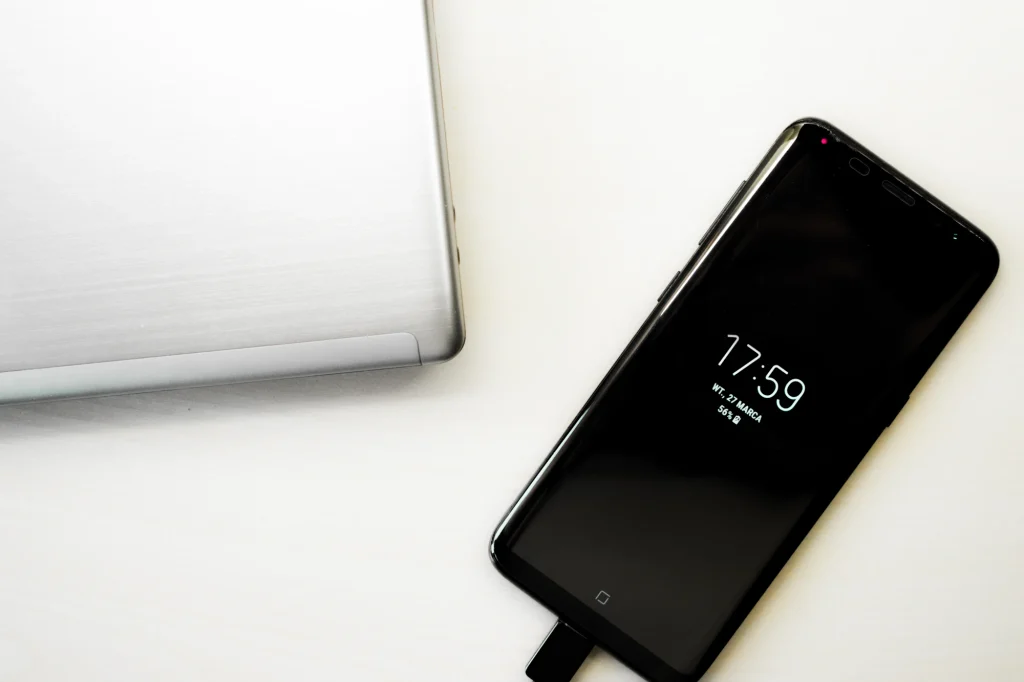
Your phone used to gulp power. Now it sips. You plug in at 20 percent, come back half an hour later, and the number has barely moved. The good news is that slow charging is rarely a dying phone. It is usually one small thing between the wall and the battery, and most of those things cost nothing to fix.
Work through this list in order. The common causes sit at the top, and each check takes a minute or two. Stop when the charging speed comes back.
Quick answer: A phone charges slowly because of a worn cable, a weak charger, a dirty charging port, heat, or a battery protection setting that caps the charge. Swap the cable first. Then check the charger wattage, clean the port with care, let the phone cool down, and look for an 80 percent limit in your battery settings.
1. The cable is worn out
The cable is the most common cause of slow charging, and it is not close. Cables get bent, yanked, sat on and rolled up tight. The wires inside fray one strand at a time. A damaged cable often still charges, just slowly, which is why people blame the phone instead.
Test it in one minute. Borrow a cable you trust, ideally the one that came with another phone in the house, and charge with everything else the same. If the speed jumps back, your old cable is done. Replace it with a cable rated for fast charging, and buy from a brand you have heard of. The cheapest no-name cables are slow even when they are new.
2. The charger is too weak
Fast charging needs power, and power is printed on the charger brick in tiny letters. Look for the output line. Multiply the volts by the amps to get watts. A brick that delivers 5 volts at 1 amp gives you 5 watts, and 5 watts will crawl on a modern phone. Most fast charging starts around 18 watts and goes up from there. Many recent Samsung and Pixel phones want 25 watts or more to hit their top speed.
Two traps hide here. The first is the free brick from an old phone, still working, still weak. The second is a standard mismatch. Some brands use their own fast charge system, and a charger built for another system may only deliver basic speed to your phone. When in doubt, the charger made for your phone brand is the safe buy.
3. The power source is the problem
Where the charger plugs in matters as much as the charger itself. A laptop USB port gives a trickle. A car USB port is often just as weak. Old power strips and loose wall sockets can underperform too.
Plug the charger straight into a wall outlet for your tests. If the speed returns, you have found your cause, and the fix is simply to stop charging from weak ports for anything but a top-up.
4. The charging port is full of lint
Your phone lives in pockets and bags. The USB-C port collects lint and dust, and every plug pushes that lint deeper until it packs hard at the back. The plug then cannot sit fully in the port. The connection turns weak, and charging slows or drops in and out.
Shine a light into the port. If you see grey felt packed in there, that is your problem. Power the phone off. Use a wooden toothpick or a plastic pick and tease the lint out gently. Never use anything metal, because the pins inside are easy to bend. A short blast of compressed air helps finish the job. You will be surprised how much comes out of a port that looked clean.
5. The phone is too hot
Heat is the silent speed killer. When a phone gets hot, it protects the battery by slowing the charge, and a very hot phone can pause charging altogether until it cools. Samsung and Google both build this behaviour in on purpose.
Feel the back of the phone. If it is hot, take the case off and move the phone to a cool surface out of the sun. Do not charge it on a bed, under a pillow or on a car dashboard in summer. Give it ten minutes to cool and the speed often returns on its own. Charging in a cool room with the case off is the fastest honest charge you can give any phone.
6. A battery protection setting is capping you at 80 percent
This cause fools more people than any other on this list. Modern phones ship with battery protection features that stop the charge at a set level, often 80 percent, to slow battery wear. The phone is not broken. It is obeying an order you may not know you gave.
On a Samsung, open Settings, then Battery, then Battery protection, and see what is switched on. On a Pixel, open Settings, then Battery, then Battery health, then Charging optimization, and look for a limit to 80 percent. There is also adaptive charging, which charges slowly overnight and finishes near your alarm time. That one is a feature on purpose. But if your phone stops at 80 percent on the charger at noon, a protection cap is almost certainly why. Turn the cap off when you need full and fast, and turn it back on for daily charging if you want the battery to age slowly.
7. You are using the phone while it charges
A phone charging and working hard at the same time is filling a bucket with a hole in it. Games, video calls, navigation and a bright screen all drink power as fast as a weak charger can pour it in. The battery percentage then creeps, even on a healthy phone.
For a fast charge, put the phone down. Screen off, face down, left alone. Airplane mode speeds things up a little more by resting the radios. If you must use the phone, at least close the game. Nothing charges a phone slowly like playing on it while it charges.
8. An app is drinking power in the background
Sometimes the charger is fine and the phone is simply spending power as fast as it arrives. A stuck app, a runaway sync or a bad app update can do this. Open Settings, then Battery, then Battery usage, and look at the top of the list. An app you barely opened should not be sitting there with a big share.
Restart the phone first. A restart clears stuck processes and fixes more charging oddities than people expect. If one app keeps showing up hungry, update it, or uninstall it and watch the next charge. And if the hungry app is one you installed from outside the Play Store, treat that as a warning sign. Our guide on how to check if an APK is safe shows the checks worth running before you trust any app with your phone.
A deeper test is safe mode. On most Android phones you hold the power button, then press and hold the Power off option until safe mode offers itself. In safe mode only the built-in apps run. If the phone charges at full speed there, a downloaded app is your culprit.
9. The battery is old, or the port is damaged
If none of the above helps, the problem may be hardware. Batteries wear out. A battery that is two or three years old holds less and can charge oddly, swelling slightly in the worst cases. If the back of the phone is lifting or the screen is pushing out, stop using the phone and take it to a repair shop. A swollen battery is not a wait-and-see problem.
Ports wear out too. If the plug feels loose and wobbles, or charging starts and stops when the cable moves, the port itself may be damaged or corroded. A repair shop can confirm this quickly. Port replacement is a common and usually fair-priced repair, and it beats replacing a phone that is fine in every other way.
What about wireless charging?
Wireless charging is slower than a cable on almost every phone. That is normal, not a fault. It also makes more heat, and heat slows charging further, above all with a thick case or a metal plate for a car mount between the phone and the pad. If your wireless charge crawls, check the alignment first. A phone sitting half off the coil charges at a fraction of its speed. Take the case off for a test charge. If the speed jumps, the case was the wall your power could not climb.
A quick word on the moisture warning
If your phone shows a moisture or liquid warning and refuses to charge, believe it. The port is wet, and charging a wet port can damage it. Unplug, let the phone stand upright in moving air, and wait. Samsung says the port usually dries within an hour or two. Do not blow hot air into it and do not poke anything inside while it dries.
When to stop fixing and get help
See a repair shop if the phone will not charge at all on a known good cable and charger, if the battery is swollen, if the port is visibly damaged, or if the phone gets painfully hot while charging. Everything before that point is a home fix. Most slow charging cases end at step 1 or step 6 of this list, with a new cable or a setting switched off.
While you are in the battery settings, it is worth a wider tidy-up. A phone full of junk files and hungry apps charges no faster, but it drains faster, which feels the same by evening. Our guide on how to clear cache on Android is the quick win there.
FAQ
Why does my phone charge slowly all of a sudden?
A sudden change usually means the cable has failed, the port has packed with lint, or a setting changed. Battery protection caps and adaptive charging arrive with software updates and surprise many people. Work through the cable swap and the battery settings first.
Why does my phone stop charging at 80 percent?
That is a battery protection feature doing its job. Samsung calls it Battery protection and Pixel phones put a limit to 80 percent option under Settings, then Battery, then Battery health, then Charging optimization. Turn it off in battery settings when you need a full charge.
Does fast charging damage the battery?
Heat damages batteries, and fast charging makes some heat. Phone makers manage this by slowing the charge as the battery fills and as temperature rises. Using the charger made for your phone and keeping it cool matters more than avoiding fast charging altogether.
Can a dirty charging port really slow charging?
Yes. Packed lint stops the plug seating fully, and a half-seated plug delivers weak and uneven power. Cleaning the port with a wooden toothpick, with the phone off, is one of the most common fixes on this list.
Why is wireless charging slower than cable?
Wireless charging wastes more energy as heat, and the phone slows the charge to control that heat. Thick cases, metal plates and poor alignment on the pad make it slower still. A cable is faster on almost every phone.
How long should a phone take to charge?
It depends on the phone and the charger. With a matched fast charger, many recent Android phones pass 50 percent in about half an hour. If yours takes hours to do the same on the charger it came with, something on this list is wrong.